CrateDigger
Festival set & concert library manager
Organize, enrich, and curate your collection with professional artwork, metadata, and chapter markers.




Festival set & concert library manager
Organize, enrich, and curate your collection with professional artwork, metadata, and chapter markers.
Switch the folder layout and click through real enriched sets.
Match your recordings against 1001Tracklists. Embed tracklist metadata and chapter markers directly into MKV files for track-by-track navigation.
Four flexible folder layouts with smart filename templates. Sonarr-style collapsing tokens handle optional fields gracefully. Copy, move, or rename in place.
Generate professional posters, extract cover art, download HD artist images from fanart.tv, create Kodi-compatible NFO files, and embed MKV tags.
Auto-refresh your Kodi library via JSON-RPC after enrichment. Automatic path mapping for multi-storage setups. NFO files integrate seamlessly.
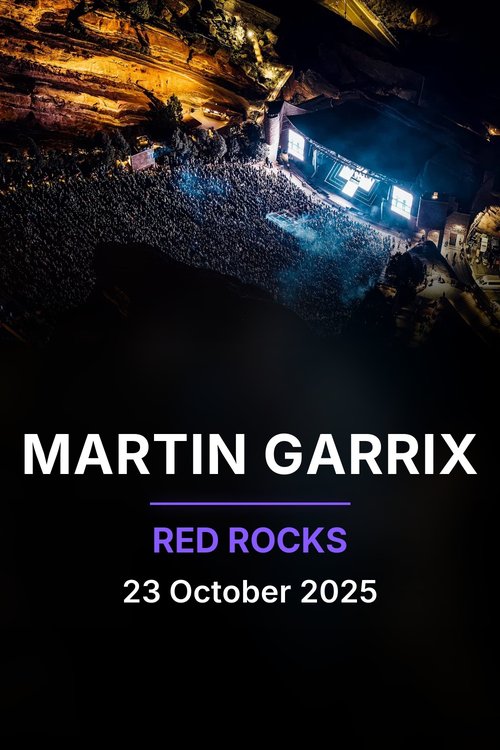
CrateDigger generates set posters using video frames with artist and event metadata, plus per-folder album posters in three layouts chosen by folder type: festival (curated logo), artist (DJ or fanart background), and year (color-matched gradient).




Match recordings against 1001Tracklists. Embed metadata and chapter markers for track-by-track navigation.
cratedigger identify ~/downloads/sets/
Move or copy files into your library with smart folder layouts and filename templates.
cratedigger organize ~/downloads/sets/ --output ~/library/ --move
Generate artwork, posters, NFO files, download artist images, and embed tags.
cratedigger enrich ~/library/ --kodi-sync
Recommended: pipx installs CrateDigger into an isolated environment and puts the command on your PATH.
pipx install git+https://github.com/Rouzax/CrateDigger.gitOr use pip, for example inside a virtual environment:
pip install git+https://github.com/Rouzax/CrateDigger.gitOptional: install with vision support for advanced frame analysis
pipx install "cratedigger[vision] @ git+https://github.com/Rouzax/CrateDigger.git"pip install "cratedigger[vision] @ git+https://github.com/Rouzax/CrateDigger.git"