myenergi Monitor for Domoticz
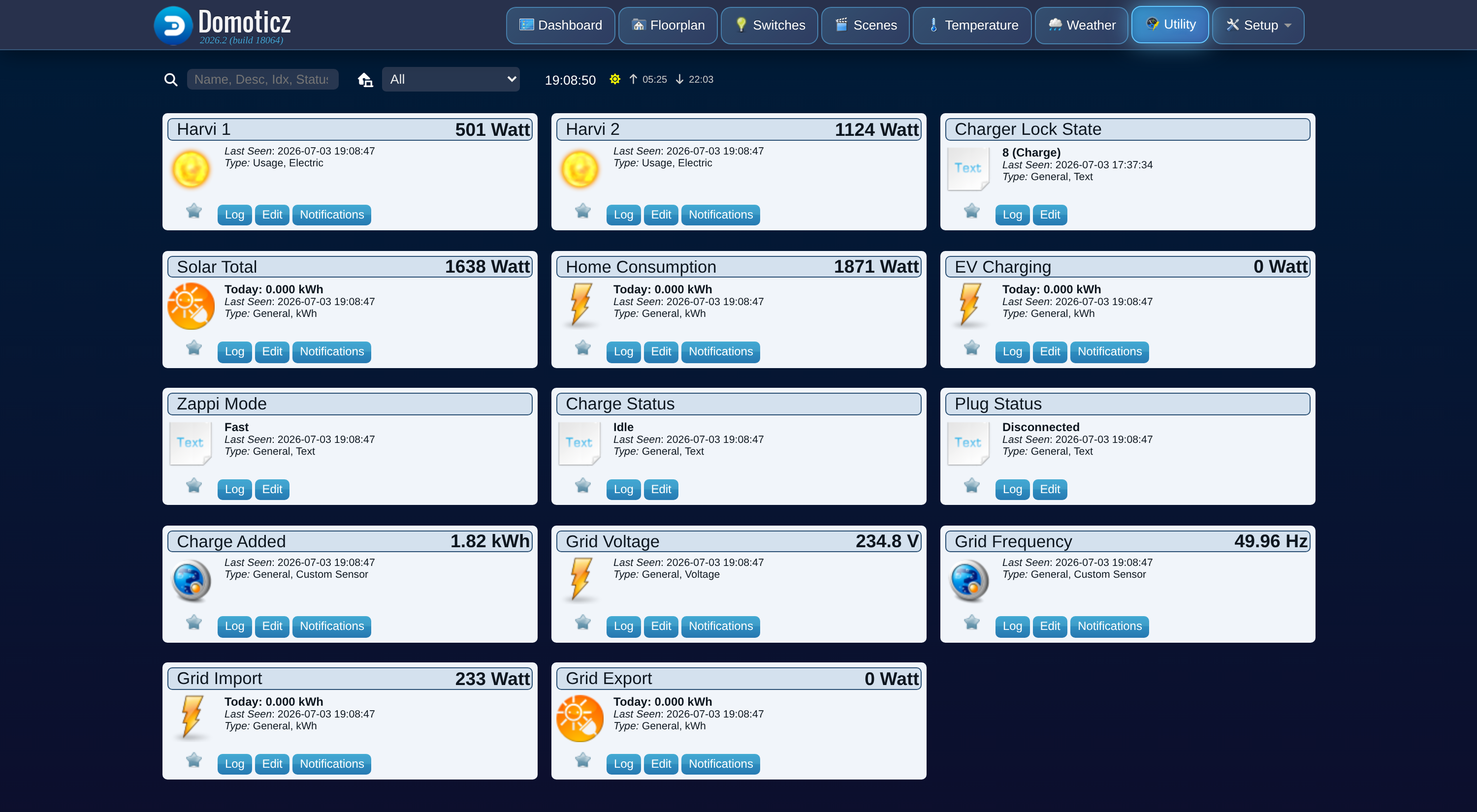
myenergi Monitor is a Domoticz plugin that polls the myenergi cloud API and turns your zappi (and any harvi CT clamps on the same hub) into a proper set of Domoticz devices: true solar generation, EV charging, derived home consumption, grid import and export, and per-inverter power, all as real kWh counters that survive Domoticz restarts.
It is built for one hub with at least one zappi, and covers every harvi on that hub too. It surfaces numbers a plain utility meter cannot see on its own, such as how much of your solar went straight to the car versus the grid.
Key features
- Real kWh counters, not just live watts. Solar Total, Home Consumption, EV Charging, Grid Import, and Grid Export all carry a running kWh counter alongside the current power reading. Counters are rebuilt from myenergi's own minute-by-minute history, only ever count up, and survive a Domoticz restart without resetting to zero.
- Derived Home Consumption. Domoticz has no separate "rest of house" meter for a myenergi install, so the plugin calculates it: solar generation plus grid import minus grid export minus EV charging power.
- Per-harvi power. Every harvi on the hub gets its own live-power device, so you can see what an individual inverter or circuit is doing, not just the system total.
- Opt-in charger control. With one setting turned on, you get Domoticz devices to change the zappi's charge mode (Fast/Eco/Eco+/Stop), start or cancel a boost, and set the Eco+ minimum green percentage. Off by default: the plugin is read-only until you explicitly enable it. See Charger control.
- English and Nederlands. Device names and status text are available in both languages.
What you get
After setup, the plugin creates a set of Domoticz devices for you automatically: no manual device creation is required. Monitoring devices appear on the first successful poll; charger control devices appear only if you turn control on. See Monitoring devices and Charger control for the full device list.
Getting started
- Install the plugin and add it as Domoticz hardware.
- Review the settings, in particular the API key and the opt-in Allow Control switch.
- Learn what each monitoring device and, if enabled, each control device does.
- Curious about the numbers? See How it works.
- Read Security before you paste your API key anywhere.
Not affiliated with myenergi
This is an independent, community-built plugin. It is not made, endorsed, or supported by myenergi. See About for acknowledgements and license.