Update now
Update now refreshes one item straight away, without waiting for the next scan: useful right after you added a new episode, fixed a scrape, or changed a setting and want to see the result.
Where to find it
In your library, open the context menu of a movie, TV show, season or episode (long-press OK on a remote, or the C key or right mouse button) and choose MetaMender > Update now.
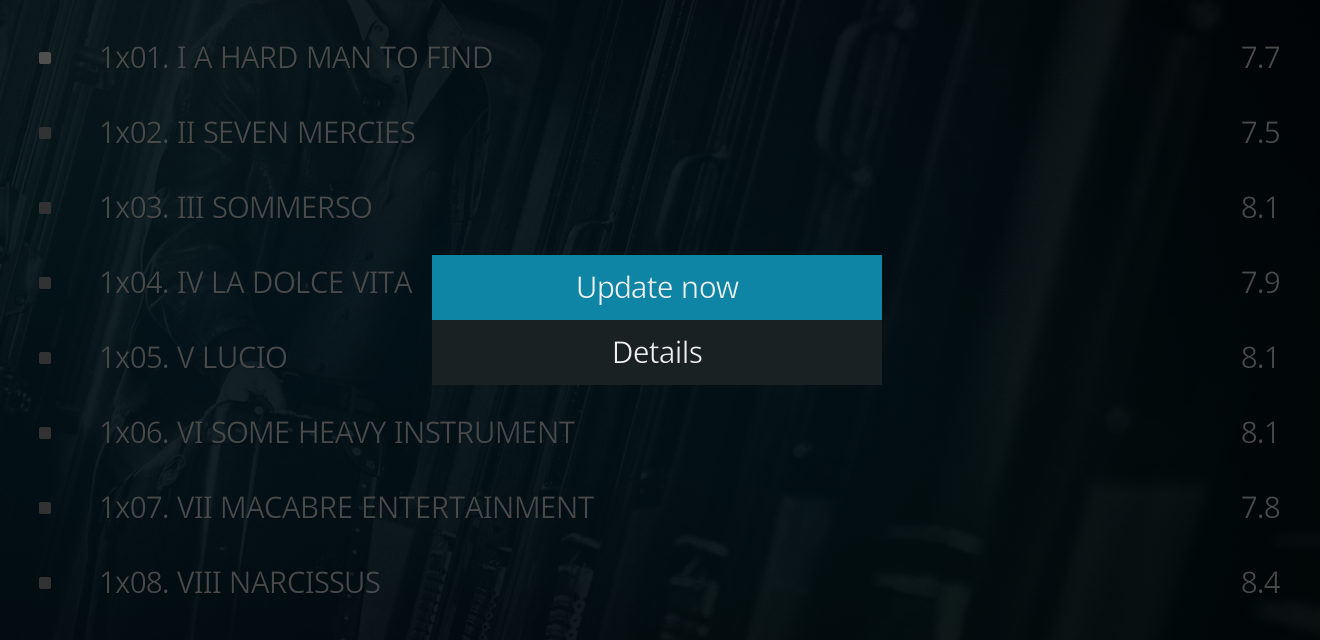
The MetaMender submenu also has Details for movies, shows and episodes; see the Details window. Right after installing MetaMender the submenu is not there yet; it appears once Kodi has been restarted.
What it does
Update now checks every field MetaMender manages for that item, even fields that are settled or not due yet. It follows the same rules as a scan: values from an NFO file and fields you locked are left alone, and it fills in the same languages. It does not move the item's normal refresh schedule: the next scheduled check stays where it was.
- A movie or an episode is refreshed at once. A notification says Updated, No changes, or Could not check now when a site did not answer (the item is then checked again on its normal schedule).
- A TV show refreshes the show itself and every episode in it.
- A season refreshes every episode of that season.
Following a show or season
For a show or a season a window shows the progress: the episode it is working on, how many are done, an estimate of the time left, and how many episodes were updated, unchanged, or could not be checked.
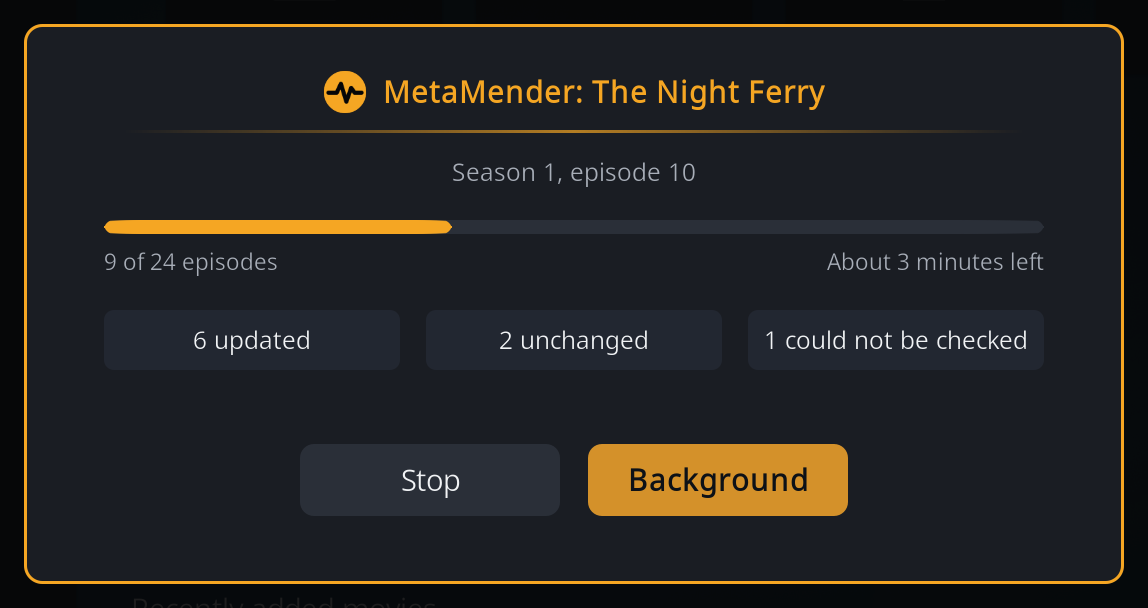
- Background closes the window and lets the refresh carry on, with a small progress bar in the corner of the screen. Choose Update now again on the same show (or one of its seasons or episodes) to bring the window back.
- Stop stops after the episode in progress. Episodes already done keep their updates.

When it ends, a notification sums it up, for example "Updated: The Night Ferry, 6 of 24 changed".
Only one scan runs at a time. If a background scan is busy, Update now says A scan is already running; try again when it has finished.