Playlist Mode
Playlist Mode builds a movie marathon from your filtered selection. Instead of browsing and picking, EasyMovie creates a playlist and starts playing immediately.
How It Works
- Run through the Filter Wizard - Same filters as Browse Mode
- EasyMovie selects movies - Based on your filters and playlist settings
- Playback starts - The playlist begins automatically
No browsing, no deciding - just movies.
Settings
Basics
| Setting | Options | Default | Description |
|---|---|---|---|
| Number of movies | 1–20 | 5 | How many movies in the playlist |
| Sort by | Random / Title / Year / Rating / Runtime / Date Added | Random | Playlist order |
| Sort direction | Ascending / Descending | Descending | Sort order |
Playback
| Setting | Options | Default | Description |
|---|---|---|---|
| Start playlist with unfinished movies | On / Off | On | Partially watched movies play first |
| Seek to resume point for movies | On / Off | On | Auto-skip to where you left off |
Start with unfinished movies: If you have a movie that's 45 minutes in, it gets placed at the front of the playlist so you can finish it first.
Seek to resume point: EasyMovie automatically jumps to where you stopped watching (10 seconds before your last position, so you have context).
Set Continuation in Playlists
When a movie from a collection finishes playing and continuation prompts are enabled, EasyMovie offers to play the next movie in the set.
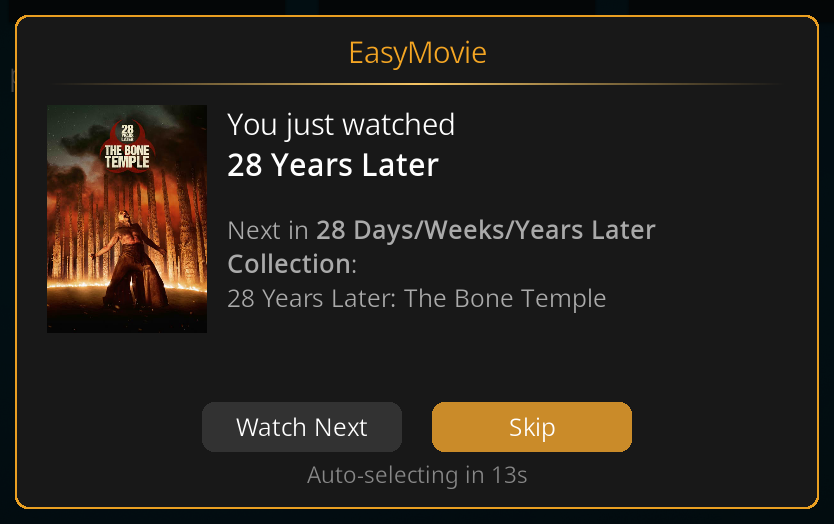
How It Works
- You finish watching The Fellowship of the Ring
- EasyMovie detects it's part of The Lord of the Rings collection
- A prompt appears: "Watch The Two Towers next?"
- A countdown timer shows the remaining time
- Choose Watch Next or Skip
Countdown Behavior
| Setting | Description |
|---|---|
| Countdown duration | 5–60 seconds before auto-action |
| If countdown expires | Continue set (play next movie) or Continue playlist (resume the playlist) |
Playback Notifications
When each movie starts playing, EasyMovie can show a notification with the title and details.
Enable in: Settings > Playback > During Playback > Show info when playing
In-Progress Check
When you launch EasyMovie, it can check if you have a partially watched movie and offer to resume it before starting the wizard.
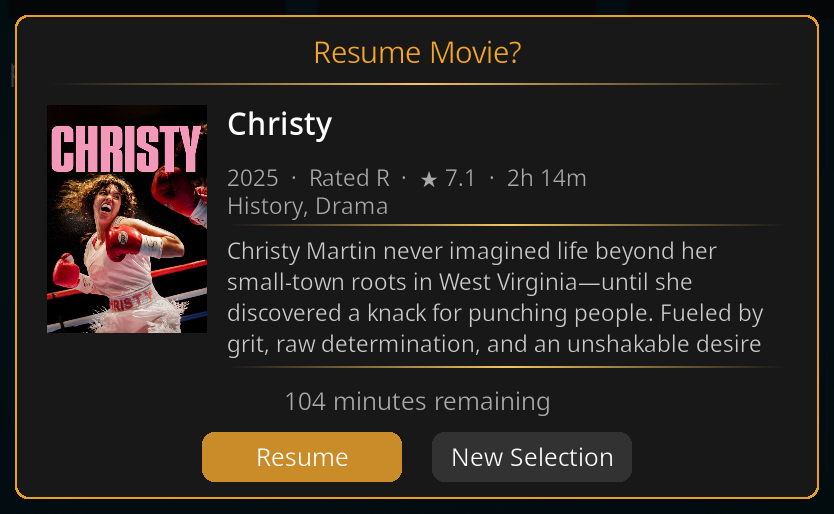
Enable in: Settings > Playback > On Launch > Check for in-progress movie on launch
Related Pages
- Filter Wizard - The filtering step before playlist generation
- Browse Mode - The other way to watch
- Movie Sets - Set continuation during playlists
- Settings Reference - All Playlist Mode settings