Guided Questions
Configured under Settings → EasyTV → Guided questions
Before Browse Mode or Random Playlist Mode opens, EasyTV can narrow the shows on offer to match what you're in the mood for right now. Each of the six questions has its own mode (Ask, Pre-set, or Skip), so you decide, per question, whether it interrupts your launch with a dialog, applies a fixed answer silently, or does nothing at all.
Why Use It?
EasyTV's usual filters (show selection, smart playlists, episode selection, premieres) are fixed until you change them in settings. Guided questions add a layer on top: a narrowing of today's candidates that never touches your saved configuration.
- Set a question's mode to Ask and it interrupts your launch with a dialog, the way all six questions worked before modes existed.
- Set it to Pre-set and it applies a fixed answer every launch with no dialog at all.
- Set it to Skip and it does nothing.
Mix and match per question: ask about genre every time, silently pre-set a minimum rating, and skip the era question entirely. Answers from Ask questions apply to that one launch only and are never saved to settings.
Prerequisites
- Settings → EasyTV → Guided questions → Ask what I'm in the mood for on launch must be On (default: Off). This is the master switch; with it off, no question runs regardless of its mode.
- The questions run before Browse Mode or before building a Random Playlist. They do not run for a Playlist content of "Movies only", since there are no TV shows to narrow (see Works With Clones below).
Enabling It
- Open Add-ons → EasyTV → Configure
- Go to EasyTV → Guided questions
- Turn on Ask what I'm in the mood for on launch
- For each question, choose its mode: leave it on Ask to keep being asked, switch it to Pre-set and configure a fixed answer, or switch it to Skip to drop it
- Optionally turn on Remember my answers or turn off Show result counts
The next time you launch EasyTV (to Browse Mode, Random Playlist, or after choosing one from the "Ask me" launch prompt), any question still set to Ask appears; Pre-set and Skip questions apply (or don't) without a dialog.
Modes
Every question has its own mode setting, defaulting to Ask:
| Setting | Question it controls | Default |
|---|---|---|
| Genres to avoid | Ignore Genres | Ask |
| Genres | Select Genres | Ask |
| Episode length | Select Episode Length | Ask |
| Era | Select Time Period | Ask |
| Rating | Select Rating | Ask |
| How much to watch | How much to watch? | Ask |
Each spinner offers three options:
| Option | What happens |
|---|---|
| Ask | The question's dialog appears at launch, exactly as before EasyTV had modes. |
| Pre-set | No dialog. The question's configured preset (see Presets) applies silently every launch. |
| Skip | No dialog, and nothing applies for this question. The episode-length question is the one exception: Skip still falls back to the Duration Filter setting (Shows category) when that filter is enabled; see Episode Length and the Duration Filter. |
Since every mode defaults to Ask, a freshly installed or upgraded EasyTV that has Ask what I'm in the mood for on launch turned on behaves exactly as it did before modes existed: all six questions asked every launch.
The Questions
Up to six questions can appear, in this order. Each one is controlled by its own mode setting.
| # | Question (dialog heading) | Mode setting | Preset setting(s) |
|---|---|---|---|
| 1 | Ignore Genres | Genres to avoid | Choose genres to avoid... |
| 2 | Select Genres | Genres | Choose genres... |
| 3 | Select Episode Length | Episode length | Pre-set episode length |
| 4 | Select Time Period | Era | Only shows from the last (years) |
| 5 | Select Rating | Rating | Pre-set rating |
| 6 | How much to watch? | How much to watch | Pre-set how much to watch |
When a question is asked (mode Ask), every answer narrows the candidate list for the questions that follow it, so later questions and their result counts (see Result Counts) reflect everything you've picked so far. Questions set to Pre-set or Skip don't appear in the dialog sequence at all; the questions still set to Ask run back to back with no gaps.
1. Ignore Genres
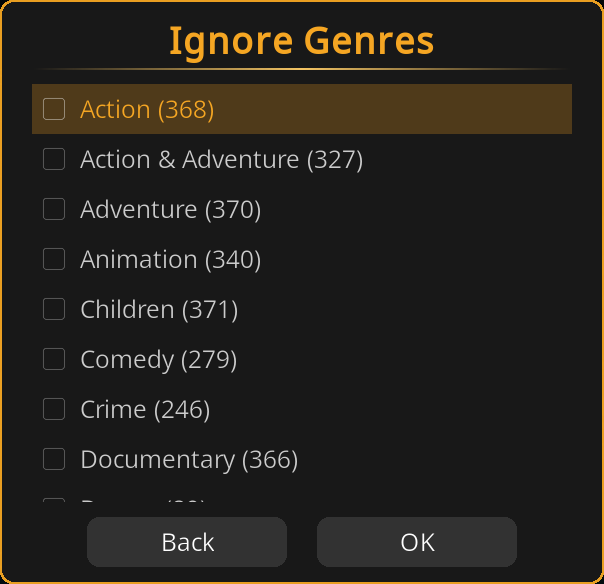
A multi-select list of every genre present in your candidate shows. Pick any number of genres to exclude, or pick none. Genres you avoid here are removed from the list offered by question 2 during the same run.
2. Select Genres
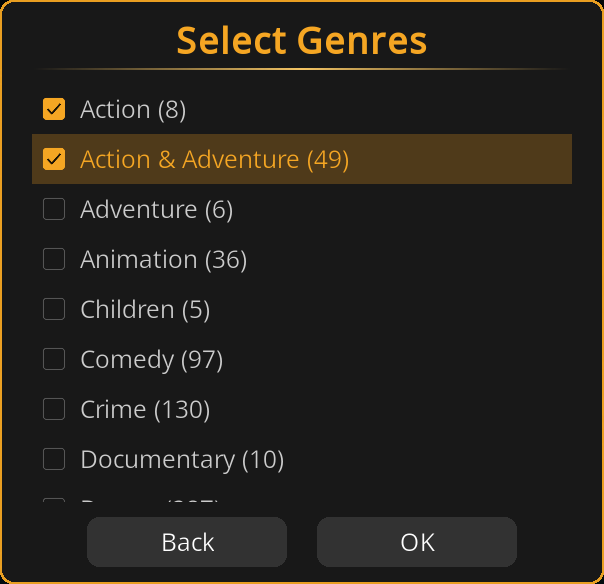
A multi-select list of the remaining genres. Pick any number to require at least one of; pick none to leave genre unrestricted.
If none of your candidate shows have genre metadata, a genre question set to Ask is skipped automatically for that launch.
3. Select Episode Length
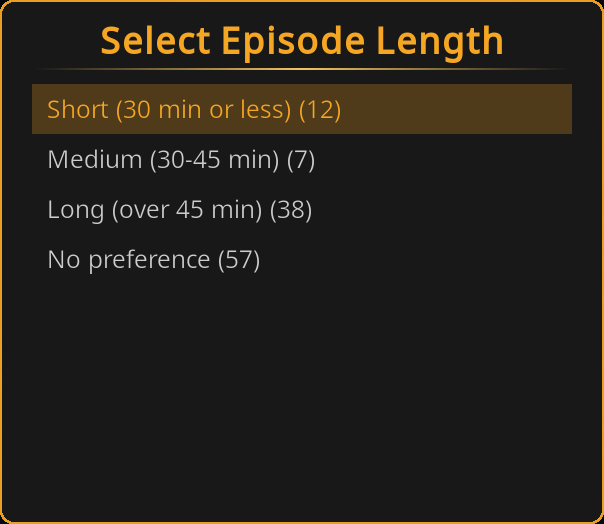
A single-select choice: Short (30 min or less), Medium (30-45 min), Long (over 45 min), or No preference.
An answer here replaces your Duration Filter setting for this run; see Episode Length and the Duration Filter. No preference falls back to your existing Duration Filter setting instead.
4. Select Time Period
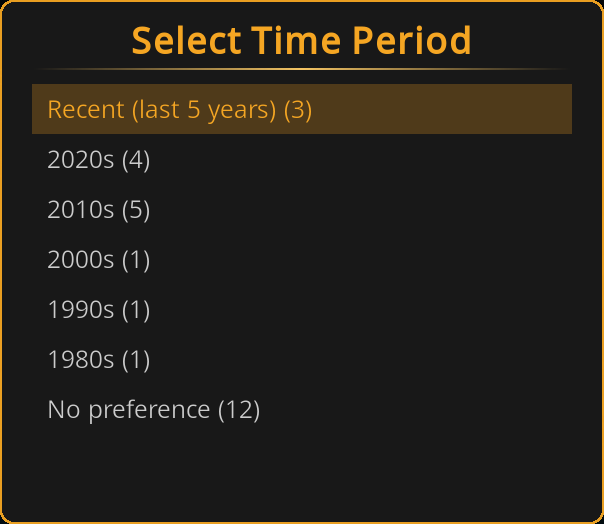
A single-select choice built from the years present in your candidate shows: Recent (last 5 years), one option per decade that has shows (newest first, e.g. "2020s", "2010s"), and No preference.
5. Select Rating
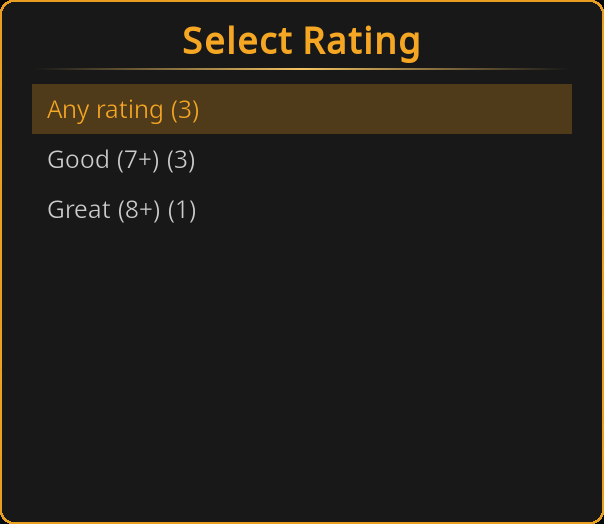
A single-select choice: Any rating, Good (7+), Great (8+).
6. How much to watch?
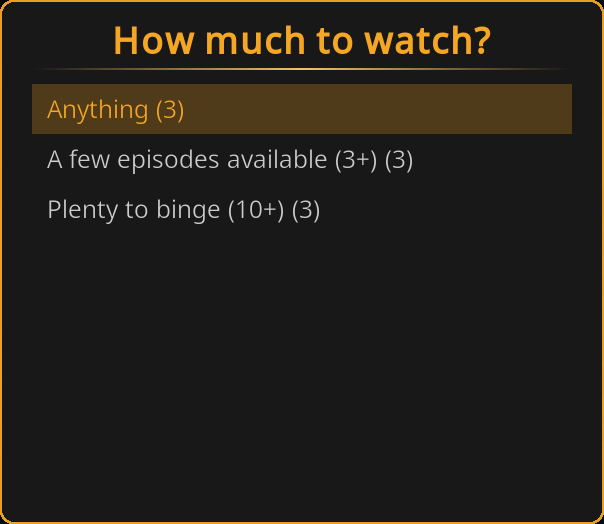
A single-select choice about how many matching episodes a show should have available: Anything, A few episodes available (3+), Plenty to binge (10+).
What counts as an "eligible" episode depends on your Episode selection setting (Random Playlist → Content Options), or is fixed to unwatched episodes in Browse Mode:
| Episode selection | What "eligible episodes" counts |
|---|---|
| Unwatched only (and always in Browse Mode) | Remaining unwatched episodes |
| Watched only | Episodes already in your watch history |
| Both | Total episode count |
Presets
A question set to Pre-set applies a configured value silently. Each question has its own preset setting, visible once that question's mode is set to Pre-set:
| Question | Preset setting | Options | Default |
|---|---|---|---|
| Ignore Genres | Choose genres to avoid... | Opens the genre picker | (none selected) |
| Select Genres | Choose genres... | Opens the genre picker | (none selected) |
| Select Episode Length | Pre-set episode length | No preference / Short (30 min or less) / Medium (30-45 min) / Long (over 45 min) | No preference |
| Select Time Period | Only shows from the last (years) | 0-30 (slider) | 0 (disabled) |
| Select Rating | Pre-set rating | Any rating / Good (7+) / Great (8+) | Any rating |
| How much to watch? | Pre-set how much to watch | Anything / A few episodes available (3+) / Plenty to binge (10+) | Anything |
The genre picker
Choose genres to avoid... and Choose genres... are action buttons. Each opens the same themed multi-select dialog used by the Ignore Genres / Select Genres questions, listing every genre in your library. Your selection is stored as a preset (not written to the ignore/genre question's remembered answer), and a read-only Selected: row underneath the button shows what you picked, or "-" when nothing is selected.
Preset values that mean "no filter"
A preset can itself mean "apply no filter," and behaves the same as if that question were set to Skip:
- Choose genres to avoid... / Choose genres... with nothing selected
- Pre-set episode length left at No preference
- Only shows from the last (years) left at 0
- Pre-set rating left at Any rating
- Pre-set how much to watch left at Anything
Precedence: Presets vs. Remembered Answers
These only matter for a question set to Ask, since Pre-set and Skip never show a dialog.
When an Ask question's dialog appears, it needs a starting selection:
- If Remember my answers is on and you have a saved answer for that question from a previous run, the remembered answer is pre-selected.
- Otherwise, if that question has a preset configured (regardless of the question's own mode; a question can be Ask while still carrying a preset value from when it was Pre-set), the preset is pre-selected.
- Otherwise nothing is pre-selected.
A pre-selected answer is only a starting point: you can still pick something else before continuing. Presets never apply automatically to an Ask question; only the mode being Pre-set does that.
Episode Length and the Duration Filter
The episode-length question interacts with the Duration Filter setting (Shows category → Episode Duration → Enable duration filter) depending on its mode:
| Mode | Result |
|---|---|
| Ask, answered with a length | That length replaces the Duration Filter for this launch. |
| Ask, answered with No preference | Falls back to the Duration Filter setting, if enabled. |
| Pre-set, with a length bucket configured | That length replaces the Duration Filter for this launch, same as answering it directly. |
| Pre-set, left at No preference | Falls back to the Duration Filter setting, if enabled. |
| Skip | Falls back to the Duration Filter setting, if enabled. |
In every "falls back" case, if the Duration Filter is also off, no episode-length filtering happens at all for this launch.
How It Interacts With Your Settings
Guided questions narrow the candidates your existing settings already produce. They do not replace those settings:
- Show filter, smart playlist, episode selection, premiere settings all still apply first. The questions only ever narrow that set further, never widen it.
- Duration Filter is the one exception: see Episode Length and the Duration Filter above.
- Nothing an Ask question produces is written to settings. Close EasyTV and reopen it (with Remember my answers off) and your saved settings are exactly as you left them. Presets, by contrast, live in settings, since they're configuration rather than a one-off answer.
Remembered Answers
Turn on Remember my answers (Settings → EasyTV → Guided questions) and your choices from the last completed run of each Ask question are pre-selected the next time that question's dialog appears, so repeating a mood is a few taps instead of a full run-through. They're not applied automatically; you still walk through each question still set to Ask.
Remembered answers are stored per EasyTV instance in wizard_answers.json under that instance's addon_data folder (special://profile/addon_data/<addon id>/wizard_answers.json), not in settings. Turning the toggle off stops pre-selecting saved answers; it does not delete the file. A remembered answer for a question later switched away from Ask is simply not used until that question is set back to Ask.
Result Counts
Turn on Show result counts (Settings → EasyTV → Guided questions) and every answer option in an Ask question's dialog shows how many shows would remain if you picked it, e.g. "Comedy (12)". Counts reflect the answers you've already given to earlier questions in this run. Turn the toggle off for a plainer list with no counts. Pre-set and Skip questions never show a dialog, so this setting has no effect on them.
Works With Clones and Movies-Only Playlists
Every clone has its own independent copy of the Guided Questions settings: its own master switch, its own mode for every question, its own presets, and its own remembered answers, exactly like its other settings.
A saved mood is now literally presets plus zero asked questions: turn on a clone's master switch, set every question's mode to Pre-set or Skip, and configure the presets you want. That clone always launches straight to Browse Mode or Random Playlist with candidates already narrowed, with no dialog at all: give it a name like "Bedtime" or "Comedy Night" and add it to your home screen. Leave one or two questions on Ask instead if you want the clone to still ask about those.
Turning off a clone's master switch (the default) leaves that clone launching straight to Browse Mode or Random Playlist, unaffected by the main instance's setting.
When Playlist content (Random Playlist settings) is set to Movies only, the questions are skipped entirely (regardless of mode): they only narrow TV shows, and a movies-only playlist has none to narrow. This applies the same way on a clone as on the main instance.
When No Shows Match
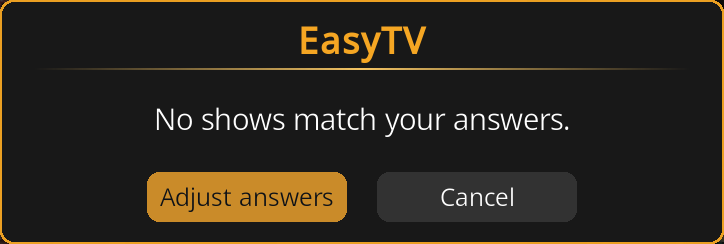
If the combination of asked answers and presets leaves zero shows, and at least one question is set to Ask, EasyTV shows "No shows match your answers." with two choices:
- Adjust answers: returns you to the first Ask question with everything you already picked still selected, so you can loosen one or two answers rather than starting over. Presets and Skip questions are unaffected, since they never asked anything to adjust.
- Cancel: closes the questions and cancels the launch.
If every question is set to Pre-set or Skip, nothing was asked, so there is no dialog to show and no answers to adjust. EasyTV launches straight into Browse Mode or Random Playlist with zero candidates, and that mode shows its own normal empty-result screen instead. If this happens, review your Pre-set values above; a preset combination can leave zero shows just as an answered question can, but silently, with no dialog pointing at it.
Related Pages
- Browse Mode: One of the two modes guided questions can narrow
- Random Playlist Mode: The other mode guided questions can narrow
- Settings Reference: All Guided Questions settings
- Clones: How to build a saved mood as its own clone
- Troubleshooting & FAQ: "The questions found no shows"